Add colouring to a photo on Photoshop (comments)
Displaying 1 - 11 of 11 comments


O M G. I have always wondered how to do a color edit like this. Google doesn't have shit. Thanks soo much.
Posted by fallinsinner on May 26, 09 8:05 pm

i love this. thanks alot.!
theres a bunch of these on cb. but this is the fastest. and it looks awesome.!
Posted by ipodtoxxic on May 21, 09 8:28 pm
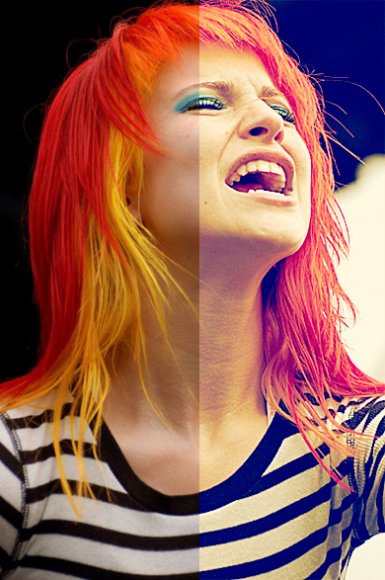
niceeeeeeeeeeeeee. she looks a bit too saturated though ;]
Posted by keenakyra on May 15, 09 1:44 am


May I just point out, at the very end, where you say to create a new layer and fill with a light pink layer, you forgot to add that it should be set to Soft Light :) But other than that it was a very nicely done tutorial. Very easy to follow and understand.
Posted by IzzyGrace on May 4, 09 6:06 pm


i love the way the finished pic looks.
its all bright and full of life. =]
Posted by daisyy-yupp on Apr 27, 09 12:37 pm
Page 1 of 1
Add Comment
You must be logged in to comment
Tutorial Details
| Designer |
BlakeBiscuitFace

|
| Submitted on | Apr 27, 2009 |
| Page views | 16104 |
| Favorites | 83 |
| Comments | 11 |
| Reviewer |
manny-the-dino
|
| Approved on | Apr 27, 2009 |