Tutorial
Click on thumbnailed images to enlarge

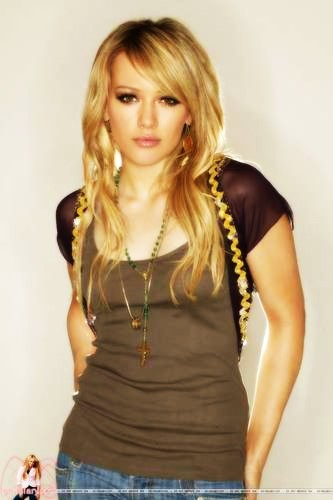
Duplicate the layer, then go to filter > blur > gaussian blur and set it to 1.5 now press ok. Go to the layer you duplicated now and right click it and go to blending options. It's set at normal right now but use the drop down menu and set it to hardlight, or overlay. Now flaten the image, layer > flatten image. and Voila! You've changed the look of that picture compeletly, here it is:
Before
After
Tutorial Comments
Showing latest 10 of 13 comments

Nice effect and easy to do! Tnx ;)

Thanks for the tutorial!
If you know how to use torrent then of course you can get it for free. There are plenty of crack and keygens out there ;0)

wow. it really does make a difference. :) thanks.

You can't LEGALLY get photoshop for free.
there are ways though, to still get it

this is ooooberly awesome.
It works. Nicee

hehe, common no ones an idiot. sum know sum don't. i got mines for free too thru ares..but yes becareful it might be a virus..but hey play nice...
you can use someone elses cd
umm i hear there is some program called gimp that is just like photoshop that u can get for free but besides that u can get the torrent or limewire just beware cuzz it might be a virus
ur dum. prolly sum1 gav it tew u dats y
Tutorial Details
| Author |
meaghan11272

|
| Submitted on | Jun 10, 2007 |
| Page views | 28,807 |
| Favorites | 74 |
| Comments | 13 |
| Reviewer |
digitalfragrance
|
| Approved on | Jun 12, 2007 |