Tutorial
Click on thumbnailed images to enlarge
Obviously, your first step is to find an image. Let's start with the one below for practice purposes.
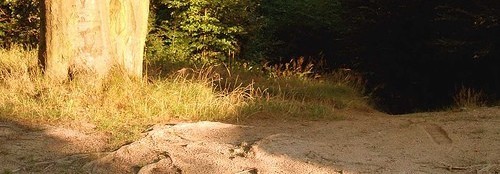
*Hint, before continuing this tutorial, increase the gamma correct and brightness by one on this image.*
Next you need to create a new blank image, with a white background. Easy enough.
On this blank image, go up to text and write anything you desire. It must be in black. After you have written your text, click okay. Validate text exactly where it is.
Go up to Filter; Visual Effect; Gaussian Blur. The radius should be at 6 pixels. This is what you should have so far.

Now, go up to text again. Have the same exact settings except, change the text color to white. Validate the text exactly where it is.
Then increase the gamma correct three times.
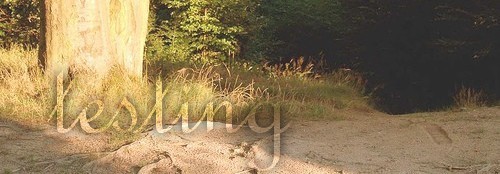
Now copy the image with the text on it and go back to your original image. Go to Edit; Paste Special; Mask.
This is what the final image should look like:
Further Info:
If you want to change the outline color on your text, just change the color on the right side panel.
*Hint, before continuing this tutorial, increase the gamma correct and brightness by one on this image.*
Next you need to create a new blank image, with a white background. Easy enough.
On this blank image, go up to text and write anything you desire. It must be in black. After you have written your text, click okay. Validate text exactly where it is.
Go up to Filter; Visual Effect; Gaussian Blur. The radius should be at 6 pixels. This is what you should have so far.
Now, go up to text again. Have the same exact settings except, change the text color to white. Validate the text exactly where it is.
Then increase the gamma correct three times.
Now copy the image with the text on it and go back to your original image. Go to Edit; Paste Special; Mask.
This is what the final image should look like:
Further Info:
If you want to change the outline color on your text, just change the color on the right side panel.
Tutorial Comments
Showing latest 6 of 6 comments

how do you get the the gamma thing?
By mckennaleah on Aug 11, 2008 8:11 pm
i got stuck at this part
Validate text exactly where it is.
Go up to Filter; Visual Effect; Gaussian Blur.
it wouldnt let me click filter
By nisha92 on Jul 20, 2008 10:02 pm
Wow this is so cool thanks for that great tutrial!
By karierocks on May 17, 2008 9:24 pm

ahh this helped so much! ive always wanted to learn it :]
thanks!
By tigergirlx3 on Feb 8, 2008 2:54 am
this was great!!! thank you!
By Maximum71 on Feb 3, 2008 4:36 am
Great tutorial, but I think you may mean DECREASE the gamma correct three times? I tried increasing it, and it just went so bright it disappeared.
By Jennifer on Nov 27, 2007 8:47 am
Tutorial Details
| Author |
KamiO

|
| Submitted on | Nov 11, 2007 |
| Page views | 23,783 |
| Favorites | 42 |
| Comments | 6 |
| Reviewer |
tripvertigo
|
| Approved on | Nov 11, 2007 |