Author's Comments
Look carefully for specific instructions
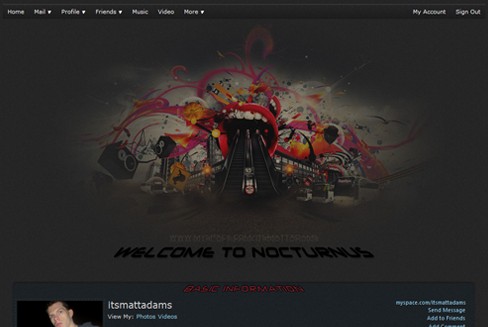
Use the following code to apply a banner image in Profile 2.0, it's cross-browser compatible. No padding, or margins required. Replace XXX with the height of your image.
To clarify: you should paste this into the CSS box.
To clarify: you should paste this into the CSS box.
Script Comments
Showing latest 10 of 18 comments

This is good.. Thanks !
By DaCandy on Apr 27, 2010 10:12 pm

this was great
ive been looking for this code
thanx soo much xoxo
By sexyceo on Nov 12, 2009 11:43 pm

i used your code before on myspace page and i didn't have problem having a trasparent background, but now...if my image have trasperancy, the trasparent part is white, How can a fix it back to trasperent???
By pollycarlita on Oct 29, 2009 3:12 am
where is the CSS section....all i have is a bio, members, influences, and a few others
By stanley15 on Oct 20, 2009 1:33 am
Gahh thank you. This is perfect.
By patronfaced on Sep 27, 2009 10:12 am

mega thanx
By LeahInTheSkyWithDiamonds on Apr 29, 2009 9:48 pm
OMG thank you so much I looked everywhere for this code
By aangel496 on Apr 2, 2009 8:22 am

Try adding width:XXXpx; after the height line. IDK it may work?
By RoxxyBabe on Mar 23, 2009 5:02 am
how do you put it under the nav bar? and is there a way to add additional pics under it (buttons)
By OCSpersonel on Mar 22, 2009 4:36 pm

SO LUV DIS ONE =]
By BOOTYBANGZ on Feb 10, 2009 12:19 pm
Script Details
| Author |
itsmattadams

|
| Submitted on | Dec 8, 2008 |
| Page views | 89,156 |
| Favorites | 144 |
| Comments | 18 |
| Reviewer |
manny-the-dino
|
| Approved on | Dec 9, 2008 |