Anime Signature Tutorial (comments)
Displaying 1 - 17 of 17 comments

can't find any splatterbrushes that work.. can somebody help me ??
Posted by MonCherii on Sep 10, 09 8:42 pm


One Of My Outcomes: http://i43.tinypic.com/20jiru1 .png
Posted by crazycowchick92 on Jan 10, 09 6:34 am

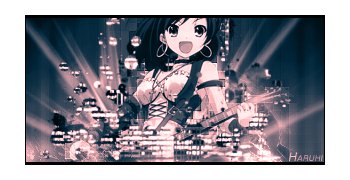
Yeah, I just love this render =3 It's so cute but still basass.
Posted by Fabianwashere on Jan 7, 09 7:54 pm

What a cute but simple tutorial! I'm so using this.
XD The fact that Haruhi Suzumiya was on it was enough to lure me here.
Posted by IzzyGrace on Jan 3, 09 7:01 am
Where did you get the picture for the mask? I would really like to try that In one of mine :]
Posted by crazycowchick92 on Dec 30, 08 7:31 pm


Page 1 of 1
Add Comment
You must be logged in to comment
Tutorial Details
| Designer |
Fabianwashere

|
| Submitted on | Dec 19, 2008 |
| Page views | 27615 |
| Favorites | 73 |
| Comments | 17 |
| Reviewer |
manny-the-dino
|
| Approved on | Dec 19, 2008 |