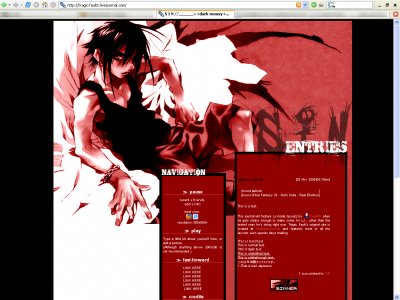
Designer's Comments
Look carefully for specific instructions
Erase all 'Custom Colors,' leaving them blank.
Replace all "YOURUSERNAME"s with your LJ SN.
Do NOT remove the credits.
Jan. 23: Updated number of entries displayed to 5.
Replace all "YOURUSERNAME"s with your LJ SN.
Do NOT remove the credits.
Jan. 23: Updated number of entries displayed to 5.
Using This Layout
For specific instructions read designer's comments
- 1. Log into livejournal.com (customize)
- 2. Set Style System to S1
- 3. Click on Look and Feel
- 4. Set Layout to Generator
- 5. Set Theme to Custom Colors and remove all fields
- 6. Click on Look and Feel
- 7. Copy (ctrl c) and paste (ctrl v) code to Overrides
Layout Comments
Showing latest 10 of 10 comments

can you change the GLOBAL_HEAD part? LJ says that GLOBAL isn't allowed...the header doesn't show!
By ilovedsandzuko on Oct 28, 2008 12:49 pm
i love red and black....love the header
By ilovedsandzuko on Oct 28, 2008 12:33 pm
I can't get this code to work for me at all.
By aaronlong93 on Mar 16, 2008 10:47 pm
where is the look and feel tab?
By zngnn on Nov 30, 2007 9:25 pm

Darrkkkk! this looks so coool
By JoannLeung on Sep 9, 2007 3:32 pm
Dark looks awesome here. I love the brushes you used.
By tokyo-rose on Apr 1, 2007 4:25 pm
sigh... hehe... dark mousy!!!!
By Yema ^-^ on Jan 12, 2007 6:39 am

it looks great i love the header image... great job
By IVIike on Jan 9, 2007 11:45 pm
like this tried tro make it work but can;t? help?
By Kagari on Dec 1, 2006 11:18 am

this is nice rich and red
By hypnotique on Nov 30, 2006 10:38 pm
Layout Details
| Designer |
sleepless lion

|
| Submitted on | Nov 28, 2006 |
| Page views | 33,784 |
| Favorites | 26 |
| Comments | 10 |