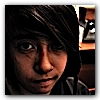
How to get this photo effect? |
  |

 Jan 17 2009, 08:37 PM Jan 17 2009, 08:37 PM
Post
#1
|
|
 XOTY*06 :D  Group: Member Posts: 2,635 Joined: Mar 2004 Member No: 6,747  |
I saw this and I really like the effect so I was hoping someone could help me out Any help is appreciated! :) |
|
|
|


|
Jan 17 2009, 08:47 PM
Post
#2
|
|
 Group: Staff Alumni Posts: 7,156 Joined: Feb 2005 Member No: 95,404 |
Maybe there really is a fancy shmancy way of making this effect, but to me it just looks like the person increased the contrast and saturation. =\
|
|
|
|


|
Jan 17 2009, 09:16 PM
Post
#3
|
|
 Mel Blanc was allergic to carrots. Group: Official Designer Posts: 6,371 Joined: Aug 2008 Member No: 676,291 |
Or maybe it could've just been there camera and they had some good lighting then they just messed with the saturation.
|
|
|
|


|
Jan 17 2009, 10:28 PM
Post
#4
|
|
 Photoartist Group: Staff Alumni Posts: 12,363 Joined: Apr 2006 Member No: 399,390 |
looks like that lomo effect
discoloration, blownout highlights/heavy contrast |
|
|
|

|
Jan 18 2009, 12:48 AM
Post
#5
|
|
 in a matter of time Group: Staff Alumni Posts: 7,151 Joined: Aug 2005 Member No: 191,357 |
Definitely some sort of exclusion filter in there, i.e. not as simple as knocking up the saturation plus contrast. I'm no expert at colouring though.
|
|
|
|

|
Jan 18 2009, 01:44 AM
Post
#6
|
|
 Senior Member Group: Administrator Posts: 8,629 Joined: Jan 2007 Member No: 498,468 |
These tutorials will help:
http://www.createblog.com/tutorials/tutorial.php?id=13828 http://www.createblog.com/tutorials/tutorial.php?id=4493 http://www.createblog.com/tutorials/tutorial.php?id=1259 http://www.createblog.com/tutorials/tutorial.php?id=1085 http://www.createblog.com/tutorials/tutorial.php?id=940 http://www.createblog.com/tutorials/tutorial.php?id=934 http://www.createblog.com/tutorials/tutorial.php?id=933 http://www.createblog.com/tutorials/tutorial.php?id=871 http://www.createblog.com/tutorials/tutorial.php?id=695 http://www.createblog.com/tutorials/tutorial.php?id=1200 I know some are on PSP but they're PS translatable. |
|
|
|

|
Feb 9 2009, 10:16 PM
Post
#7
|
|
 ello xD Group: Member Posts: 32 Joined: Nov 2007 Member No: 593,302 |
maybe add some selective color on photoshop
if you use that program |
|
|
|

|
Feb 18 2009, 01:07 AM
Post
#8
|
|
 Adam Jacob Group: Member Posts: 2 Joined: Nov 2006 Member No: 478,328 |
If i was going to do this effect i would use picedit.us and just up the exposure and saturation and maybe apply the normalization effect.
|
|
|
|

|
Feb 18 2009, 07:11 AM
Post
#9
|
|
 Onen i-Estel Edain, ú-chebin estel anim. Group: Official Designer Posts: 425 Joined: May 2008 Member No: 653,128 |
It looks like one of those random effects on Picnik ._."
|
|
|
|

| *Janette* |
Feb 27 2009, 04:03 AM
Post
#10
|
|
Guest |
It looks slightly cross-processed. You can try adjusting some of the RGB curves.
|
|
|
|
|
Feb 27 2009, 07:08 PM
Post
#11
|
|
 show me a garden thats bursting to life Group: Staff Alumni Posts: 12,303 Joined: Mar 2005 Member No: 115,987 |
Orange color layer set to Multiply
Orange/Yellow color set to Darken (this effects the brighttttt spots, such as on their faces) Navy Blue color set to Exclusion. |
|
|
|

|
1 User(s) are reading this topic (1 Guests and 0 Anonymous Users)
0 Members: