Can I make my picture like these? |
  |

 Aug 16 2009, 11:12 PM Aug 16 2009, 11:12 PM
Post
#1
|
|
|
Senior Member  Group: Member Posts: 71 Joined: Dec 2004 Member No: 76,821  |
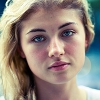
How can I make my picture bright and good looking quality like the ones below?
  I have photoshop, please be very detailed about it Thank you! 
|
|
|
|




|
Aug 16 2009, 11:15 PM
Post
#2
|
|
 poison Group: Official Member Posts: 4,806 Joined: Mar 2008 Member No: 629,020 |
Shoot up the contrast and saturation.
|
|
|
|


|
Aug 16 2009, 11:25 PM
Post
#3
|
|
 (′ ・ω・`) Group: Official Designer Posts: 6,179 Joined: Dec 2004 Member No: 72,477 |
image -> adjustments -> brightness/contrast
toggle with the brightness and contrast. try with other options under 'adjustments' |
|
|
|

|
Aug 16 2009, 11:43 PM
Post
#4
|
|
 Senior Member Group: Official Designer Posts: 5,880 Joined: Nov 2007 Member No: 593,382 |
3rd from right.
O wait. Wrong forum. Wrong game. |
|
|
|


|
Aug 17 2009, 09:24 PM
Post
#5
|
|
 show me a garden thats bursting to life Group: Staff Alumni Posts: 12,303 Joined: Mar 2005 Member No: 115,987 |
QUOTE(jcp @ Aug 16 2009, 11:43 PM)  3rd from right. O wait. Wrong forum. Wrong game. Seriously kid. Cut the freaking crap out. You're not funny. It's not cute. It's not flattering. No girl is going to think anymore of you for it. SO QUIT IT. Anyways. Photoshop also has a Vibrance effect, you might want to fiddle with that to get the colors to also really pop. |
|
|
|

|
Aug 17 2009, 09:46 PM
Post
#6
|
|
|
Senior Member Group: Official Designer Posts: 5,880 Joined: Nov 2007 Member No: 593,382 |
DO you actually know what im talking about?
|
|
|
|
|
Aug 17 2009, 10:07 PM
Post
#7
|
|
 kthxbai Group: Official Designer Posts: 2,832 Joined: Feb 2008 Member No: 621,203 |
no one effing cares what it means. This is graphics help and you're just spamming.
QUOTE(doughnut @ Aug 16 2009, 11:25 PM) image -> adjustments -> brightness/contrast toggle with the brightness and contrast. try with other options under 'adjustments' this :-) |
|
|
|

|
Aug 17 2009, 10:42 PM
Post
#8
|
|
|
show me a garden thats bursting to life Group: Staff Alumni Posts: 12,303 Joined: Mar 2005 Member No: 115,987 |
QUOTE(jcp @ Aug 17 2009, 09:46 PM) DO you actually know what im talking about? Newflash: NO ONE CARES. This is a forum which is dedicated for HELPING people. Your silly nonsense is NOT NEEDED here. |
|
|
|
|
Aug 17 2009, 10:45 PM
Post
#9
|
|
|
kthxbai Group: Official Designer Posts: 2,832 Joined: Feb 2008 Member No: 621,203 |
or wanted.
|
|
|
|
|
Aug 17 2009, 10:48 PM
Post
#10
|
|
 AIDS at RAVES. Group: Official Designer Posts: 2,386 Joined: Dec 2007 Member No: 598,878 |
Duplicate layer
Filter Guassian Blur> Opacity 50% then Dodge tool > Eraser tool and erase the parts of the eyes, lips and nose :] |
|
|
|

|
Aug 17 2009, 10:51 PM
Post
#11
|
|
|
Senior Member Group: Official Designer Posts: 5,880 Joined: Nov 2007 Member No: 593,382 |
Dont be so serious. Its making cb boring.
And so im not spamming. O wait. Kevin just said it. That gaussian bur that is what gives the glow effect btw. |
|
|
|
|
Aug 17 2009, 11:02 PM
Post
#12
|
|
|
show me a garden thats bursting to life Group: Staff Alumni Posts: 12,303 Joined: Mar 2005 Member No: 115,987 |
QUOTE(jcp @ Aug 17 2009, 10:51 PM) Dont be so serious. Its making cb boring. And so im not spamming. O wait. Kevin just said it. That gaussian bur that is what gives the glow effect btw. Alright, seriously, just cut it out. Mkay? I'm going to close this to make sure that it will not go any further. Original poster, if you have any more questions I'll reopen it or answer them myself, just please PM me. :) |
|
|
|
|
1 User(s) are reading this topic (1 Guests and 0 Anonymous Users)
0 Members: