okay,, (using Gimp 2.6.1) |

 Apr 6 2009, 10:35 PM Apr 6 2009, 10:35 PM
Post
#1
|
|
 Senior Senior Member  Group: Official Member Posts: 1,507 Joined: Sep 2007 Member No: 571,541  |
okay this has ALWAYs been on my mind...
how do you do these kind of pics..(GREY background and then color on one thing) 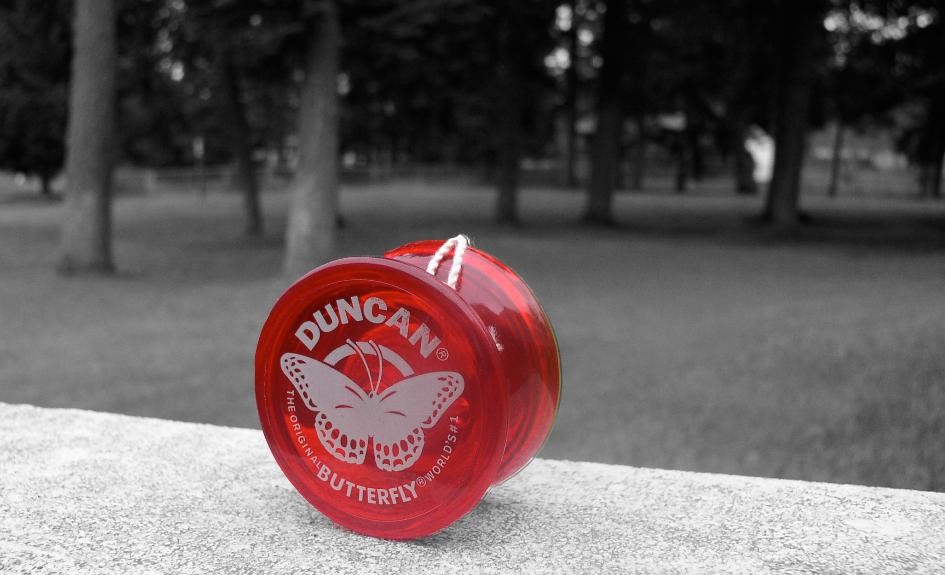 its been pissing me off how i cant do this! im trying to do it on my pic that i have right now on my profile...(myspace, and CB) PLEASE HELP!!!!! |
|
|
|


Posts in this topic
 Jonathan-Andrew okay, Apr 6 2009, 10:35 PM
 technicolour Duplicate colored picture.
On duplicated copy, des... Apr 6 2009, 10:40 PM Jonathan-Andrew is there a easy way to delete the part where i wan... Apr 6 2009, 10:42 PM Mikeplyts Uhh..use the selection tool and hit 'delete... Apr 6 2009, 11:03 PM Jonathan-Andrew this is how it came out...
i did something else t... Apr 6 2009, 11:24 PM manny-the-dino You can barely tell you did selective coloring, tb... Apr 6 2009, 11:30 PM Mikeplyts Yeah, I agree that you can barely tell but I can s... Apr 6 2009, 11:32 PM Jonathan-Andrew QUOTE(manny-the-dino @ Apr 6 2009, ... Apr 6 2009, 11:32 PM
technicolour Duplicate colored picture.
On duplicated copy, des... Apr 6 2009, 10:40 PM Jonathan-Andrew is there a easy way to delete the part where i wan... Apr 6 2009, 10:42 PM Mikeplyts Uhh..use the selection tool and hit 'delete... Apr 6 2009, 11:03 PM Jonathan-Andrew this is how it came out...
i did something else t... Apr 6 2009, 11:24 PM manny-the-dino You can barely tell you did selective coloring, tb... Apr 6 2009, 11:30 PM Mikeplyts Yeah, I agree that you can barely tell but I can s... Apr 6 2009, 11:32 PM Jonathan-Andrew QUOTE(manny-the-dino @ Apr 6 2009, ... Apr 6 2009, 11:32 PM
 Mikeplyts QUOTE(Jonathan-Andrew @ Apr 7 2009, 12... Apr 6 2009, 11:36 PM Jonathan-Andrew the FLASH, is the SUN.. thats my Sliding door in t... Apr 6 2009, 11:42 PM technicolour Hm, well, it still isn't that awesome of a pic... Apr 6 2009, 11:44 PM Jonathan-Andrew alright.. i'll keep on trying.. i'll pract... Apr 6 2009, 11:46 PM technicolour Hm. Well. Don't go posting it around without t... Apr 6 2009, 11:47 PM
  |
1 User(s) are reading this topic (1 Guests and 0 Anonymous Users)
0 Members: