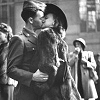
I want to create a picture like this, I need help. |
  |

 Oct 25 2008, 02:14 PM Oct 25 2008, 02:14 PM
Post
#1
|
|
|
Senior Member  Group: Member Posts: 141 Joined: Jun 2007 Member No: 536,692  |
I found this avatar.
 However, here is the original image.  I want to make that avatar, but the size to be bigger, but I don't know how the person did it exactly. I thought he/she had used feather and cut the picture on the right side, but it wasn't. How can I do that picture?
Reason for edit: Edited with image tags. - Cristy
|
|
|
|




|
Oct 25 2008, 03:43 PM
Post
#2
|
|
 DDR \\ I'm Dee :) Group: Mentor Posts: 8,662 Joined: Mar 2006 Member No: 384,020 |
Moved to Graphics Help.
It looks like they just played around with the layers. They probably used the infamous dark blue exclusion layer and then just used a dark colored brush on the right side and set that layer to darken. |
|
|
|


|
Oct 25 2008, 09:21 PM
Post
#3
|
|
 Naomi loves you. Y'all may call me NaNa Group: Official Designer Posts: 2,925 Joined: Jun 2006 Member No: 427,774 |
I have an idea how they did it.
First, I know for sure they crop the picture and resize it to 100 x 100. I'm thinking they found a better quality version of the picture. After they crop it, they create a new layer and color a dark navi blue color in the layer and set it to lighten and then made another leyer and color that leyer with a cream light orange type color and set that to overlay I believe they use a texture too. I think the creator of the avatar rotated the picture a little becasue the angle is a little differnt. I'm not sure what colors and blend modes the person used. Try finding a better quality version of the picture. Crop it and play around with the colors and blend modes and stuff. What program do you use? |
|
|
|

|
2 User(s) are reading this topic (2 Guests and 0 Anonymous Users)
0 Members: