problem with Imageready, animation |

 Dec 18 2006, 05:51 PM Dec 18 2006, 05:51 PM
Post
#1
|
|
 xXbernisXx  Group: Member Posts: 493 Joined: Jul 2006 Member No: 433,317  |
i was makin this signature on photoshop and imageready
and when i was done i saved the optimized as gif. and the color of the sig was different after i saved it.. why did it change the color? .. how can i fix it? here they are the original color before saving it 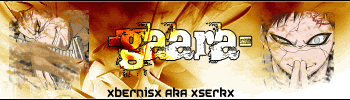 the weird color after saving it 
|
|
|
|


 |
Replies
|
Dec 19 2006, 12:51 AM
Post
#2
|
|
 You'll find me in your dreams. Group: Official Member Posts: 8,536 Joined: Mar 2005 Member No: 114,010 |
I don't own ImageReady, but I do have AnimationShop. From that I can tell you that compression options play a part, as well as type of .gif file.
If you compress it more, less colours will show. If you choose "web-safe" as the type, less colours will show up. |
|
|
|

Posts in this topic
 serk problem with Imageready Dec 18 2006, 05:51 PM
 fallingstar GIFs only offer 256 colors. Some colors can't ... Dec 18 2006, 06:10 PM serk i know but i did it before and it
came pretty goo... Dec 18 2006, 06:21 PM
fallingstar GIFs only offer 256 colors. Some colors can't ... Dec 18 2006, 06:10 PM serk i know but i did it before and it
came pretty goo... Dec 18 2006, 06:21 PM serk can now be close Jan 7 2007, 04:34 AM
 |
1 User(s) are reading this topic (1 Guests and 0 Anonymous Users)
0 Members: