Help! |

 Mar 30 2007, 11:18 AM Mar 30 2007, 11:18 AM
Post
#1
|
|
 im with the marching band  Group: Member Posts: 740 Joined: Dec 2006 Member No: 491,167  |
How Can I Cut An Animate Picture
Into 4 Like This? 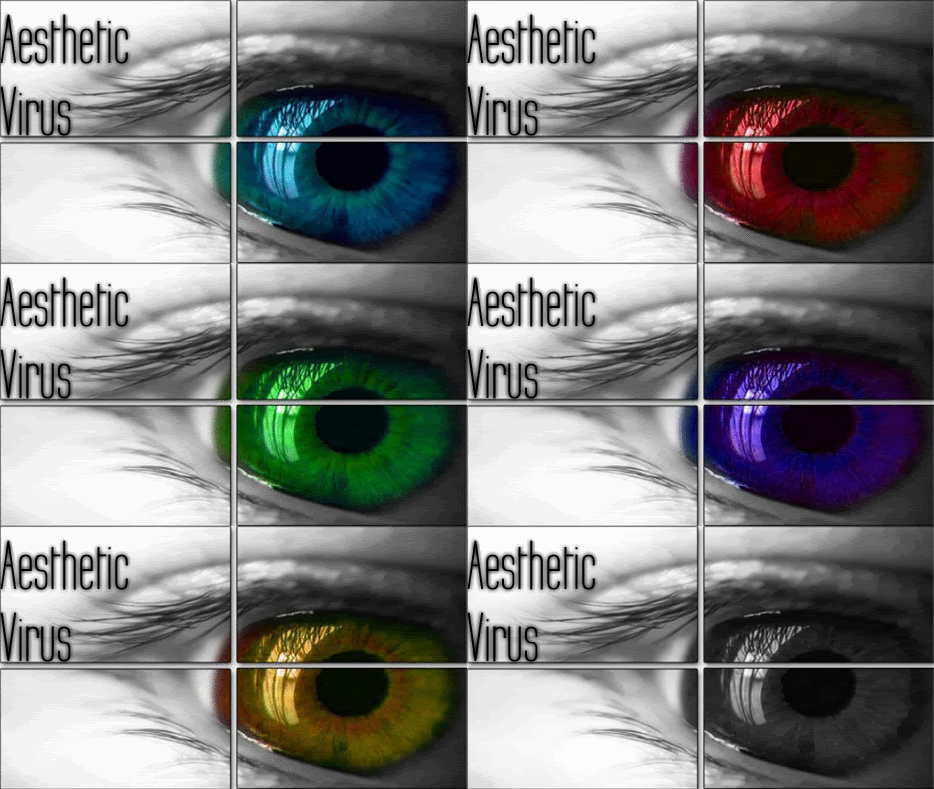
|
|
|
|


 |
Replies
(1 - 3)
| *WHIMSICAL 0NE* |
Mar 30 2007, 01:10 PM
Post
#2
|
|
Guest |
When you make the animation, just do that to your pictures before you make it. Otherwise if you already made the animation you might have to go through and cut each transition, depending on the program you're using.
|
|
|
|
|
Mar 30 2007, 05:01 PM
Post
#3
|
|
|
im with the marching band Group: Member Posts: 740 Joined: Dec 2006 Member No: 491,167 |
QUOTE(WHIMSICAL 0NE @ Mar 30 2007, 2:10 PM)  When you make the animation, just do that to your pictures before you make it. Otherwise if you already made the animation you might have to go through and cut each transition, depending on the program you're using. well im using photoshop...but its not really for me its for this kid so if you want you can message him...say your relating to this topic... |
|
|
|
|
Apr 3 2007, 01:20 PM
Post
#4
|
|
 hardxcore. Group: Member Posts: 1,223 Joined: Nov 2006 Member No: 479,494 |
you need an animation program, such as gimp to make an animation on an image. you would need to cut and resize the image first. then you would need to split it up into section before you dod your animation. otherwise, it will make it a regular image again after you save it, even as gif. format. to animate it, you would need to make different layers of the same image, only with a different color eye. good luck.
|
|
|
|


 |
1 User(s) are reading this topic (1 Guests and 0 Anonymous Users)
0 Members: