X Brush, Photoshop Brush |

 Feb 5 2006, 05:15 PM Feb 5 2006, 05:15 PM
Post
#1
|
|
 Senior Member  Group: Member Posts: 122 Joined: Jan 2006 Member No: 346,648  |
I wanted to knoe how to get the "X" brush used in photoshop. I found it here in this thread: http://www.createblog.com/forums/index.php...opic=51561&st=0 and like it. This is supposed to be a default brush, but I do not have it and I was told by the person who made this thread that I could just use the lasso tool to just get the "X" only but when I do some of the outside of the box is included, so when I use it as a brush it's like an "X" in in a box instead of just an "X". How do it get it to be just an "X" instead of like this:

|
|
|
|




 |
Replies
(1 - 5)
|
Feb 5 2006, 05:22 PM
Post
#2
|
|
 Newbie Group: Member Posts: 4 Joined: Oct 2005 Member No: 271,455 |
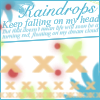
just use copy this pic:
 and paste it on your photoshop then highlight it and click "define brush" and paste it on your photoshop then highlight it and click "define brush"
|
|
|
|
|
Feb 5 2006, 06:16 PM
Post
#3
|
|
 delicious. Group: Member Posts: 163 Joined: Jan 2006 Member No: 349,989 |
It is a default brush (: Select the brush tool, right click, click the blue triangle thing, and select 'Assorted Brushes'. It should be in that brush set

|
|
|
|
|
Feb 5 2006, 11:56 PM
Post
#4
|
|
|
Senior Member Group: Member Posts: 122 Joined: Jan 2006 Member No: 346,648 |
Thanks, for your help.
|
|
|
|
|
Feb 5 2006, 11:58 PM
Post
#5
|
|
 You'll find me in your dreams. Group: Official Member Posts: 8,536 Joined: Mar 2005 Member No: 114,010 |
Can I close this then, or do you still need help?
|
|
|
|

|
Feb 6 2006, 12:47 AM
Post
#6
|
|
|
Senior Member Group: Member Posts: 122 Joined: Jan 2006 Member No: 346,648 |
QUOTE(fishcake-y @ Feb 6 2006, 12:58 AM) Can I close this then, or do you still need help?  I found out how to use different brushes, so you can close it. |
|
|
|
 |
1 User(s) are reading this topic (1 Guests and 0 Anonymous Users)
0 Members: