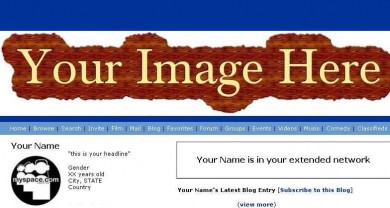
Author's Comments
Look carefully for specific instructions
1- Put the code in the ABOUT ME section.
2- Change URL_HERE to the URL of your Picture.
3- You can also change Width and Height
4- Save Profile and then View it. Do NOT! Preview it.
note: this will not hide the myspace ad
View All My Scripts
Questions or Comments
myspace.com/el_rene
Script Comments
Showing latest 10 of 21 comments

it does work!!!! okay.

didn't work

it won't work on the new myspace navabar.. anyone got a new code?

not working!

it's not workin =(

aww ):
me no like the new nav bar
i cant find a banner code anywhere that will work for its
can yew fixes please?

Thankyou very much to whomever can fix this code so it works with the new myspace codes-- thankyou again, I really appreciate being able to get codes here

ive used this code many times, and it does work, maybe ur doing something wrong? are you puttin the code in the ABOUT ME or the MEET section?
i cant get it to work...ive tweaked with the sizes and postions and its still not working!! it used to work on my old profile but not on my new one...im doin the same thing so im not real sure of whats goin on...can u offer some advice?
um,...its not working for me.
help please.
myspace.com/erikajm3
Script Details
| Author |
elrene06

|
| Submitted on | Aug 11, 2007 |
| Page views | 93,061 |
| Favorites | 247 |
| Comments | 21 |
| Reviewer |
themarkster
|
| Approved on | Aug 11, 2007 |