
Tutorial
Click on thumbnailed images to enlarge
Okay I used Photoshop CS4! It might work on the other but I don't know
1.) We will open an image I will use this one:

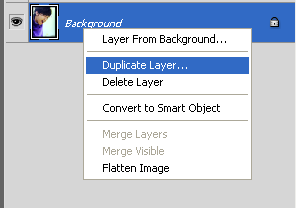
2.)Duplicate the layer:
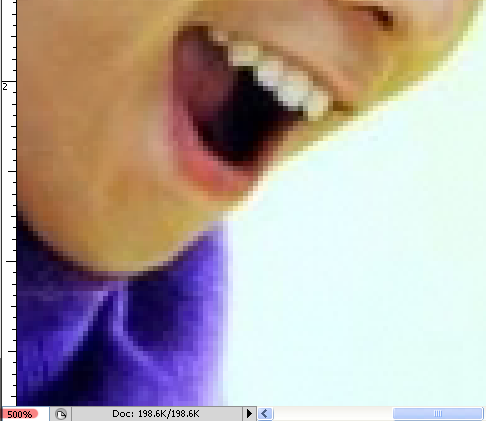
3.)Zoom in:
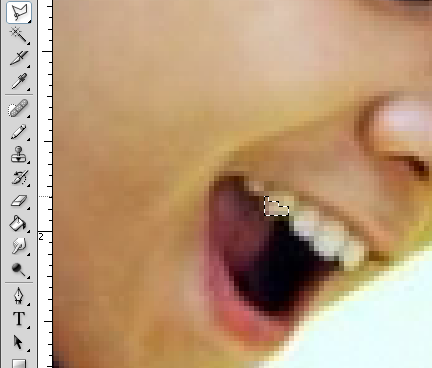
4.)Grab the polygon lasso tool and select the bottom half of the tooth not the whole thing like this:
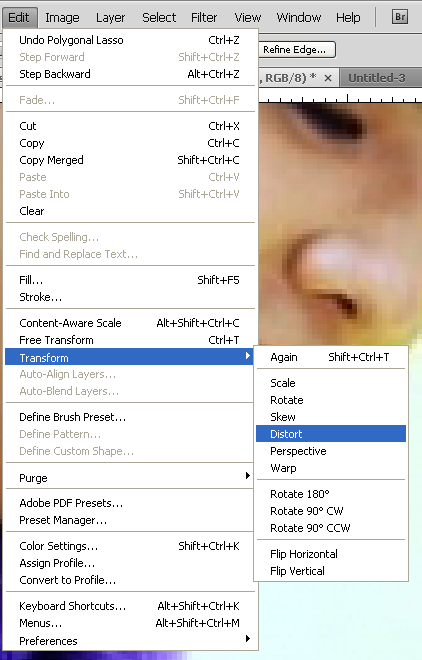
5.)Then do go to adjustment, transform, distort and stretch:
THEN
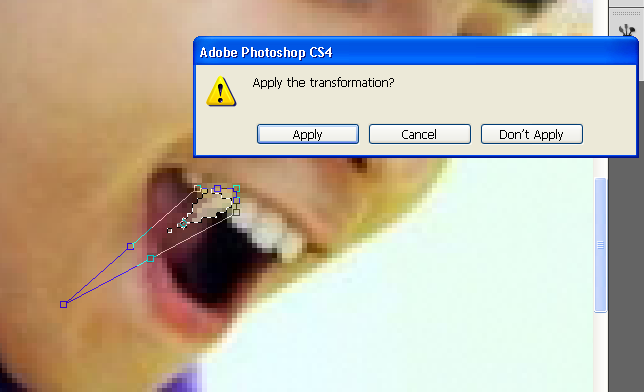
6.)Go to your eraser tool:
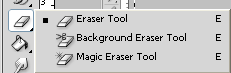
7.)Do you finishing touches on you tooth:

And you are done! Here is my finishing product:

1.) We will open an image I will use this one:
2.)Duplicate the layer:
3.)Zoom in:
4.)Grab the polygon lasso tool and select the bottom half of the tooth not the whole thing like this:
5.)Then do go to adjustment, transform, distort and stretch:
THEN
6.)Go to your eraser tool:
7.)Do you finishing touches on you tooth:
And you are done! Here is my finishing product:
Tutorial Comments
Showing latest 10 of 15 comments

This turned out awesome :D
By askingalexandria on Dec 20, 2009 12:46 am

haha this is freakin sweet.
By conflictingreflections on Dec 9, 2009 8:00 pm

G-Dragon
By J-Dragon on Nov 20, 2009 5:15 am

This will be perfect for the picture of me biting my friends neck :3
By xrockNrollx on Nov 8, 2009 10:16 pm

omg! its GD~ ^^
nice tutorial btw! =)
By doodleisLOVE on Nov 5, 2009 4:28 pm

amazing
By crazydinozgorawr on Oct 24, 2009 1:32 am

Thank you!
This is friggin amazing :)
By Kara18 on Oct 5, 2009 7:24 am

I'm glad you all liked it, I might make another tutorial :D
By buddyboy on Sep 19, 2009 1:28 am

My dreams of becoming Edward are now closer to reality!
By andyoucansuckit on Sep 15, 2009 5:13 am

this is awesome!
By Tomates on Sep 14, 2009 11:45 pm
Tutorial Details
| Author |
buddyboy

|
| Submitted on | Sep 13, 2009 |
| Page views | 19,135 |
| Favorites | 72 |
| Comments | 15 |
| Reviewer |
manny-the-dino
|
| Approved on | Sep 13, 2009 |