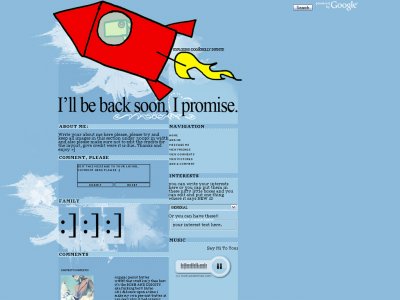
Designer's Comments
Look carefully for specific instructions
First off if your going to use this layout make sure to put the codes in the appropriate fields. First codes goes in the about me and the second goes in the I'd Like To Meet section. Make sure you don't have any content in the other areas.
Make sure to go through out the layout codes in the I'd Like to Meet Section and find every RAWRR and change it to your friend ID. If you do not know how to find your friend ID leave a comment and I'll be sure to leave a comment helping you find it.
Please do not edit anything in the about me coding, it has been made that way so for beginners you won't mess any of the layout coding up if you don't edit the about me. To edit any of the text just read throughout the I'd Like to Meet coding and you should find where to edit some text and such.
Good luck,
Any questions at all feel free to leave a comment on the layout or PM me.
Thanks,
Holly (Intercourse.)
PSS -
You may have noticed after adding some content in the about me part the comments kind of went over the family section or even more?
Find this in the about me section:
.comments{visibility:visible;width:302px; height:600px;position:absolute;
top:800px;left:160px;
overflow:none;background-color:transparent;
border:black 0px solid;z-index:2px;}
Change the top number (bold, only the number!) to something greater than what it is until they are down far enough that they aren't covering any of the content.
Using This Layout
For specific instructions read designer's comments
- This is a div overlay layout, html knowledge required!
- 1. Log into myspace.com
- 2. Click on Edit Profile (Profile 1.0)
- 3. Copy (ctrl c) and paste (ctrl v) code to the specified fields
Layout Comments
Showing latest 10 of 73 comments

Is there any way to get rid of the comments completely?

how do you show the music player?

Adorable (:
love the color coordination.

This layout is amazing! I usually never use anyone elses layouts and stick to the standard look (cuz thats what I like) But I love this layout! I might use it! Great job!

omffg! (:
i used to have this layout on my personal. and then i took it off. and i've been trying to find it. illllly(:

awhh. this is super cute =)

awww adorable =]
i replaced LINK with the whole friend link code, yet the smileys are still there. but where do i enter in the picture code?

OMG this is beautiful

you have to copy their whole friend link code and paste it where it says LINK near the images ;] its near the very bottom of the i'd like to meet code.
Layout Details
| Designer |
Insurmountable

|
| Submitted on | Mar 21, 2007 |
| Page views | 85,393 |
| Favorites | 332 |
| Comments | 73 |