Designer's Comments
Look carefully for specific instructions
Under Color Theme, choose Custom Colors, and delete everything from the boxes in this table.
When you paste the overrides in the "Style Overrides" box, change every instance of "yourname" to your actual Livejournal username so all the links will work.
Finally, in the "Edit Info" page (http://www.livejournal.com/editinfo.bml") make sure that you link to SOME website in the boxes that say "Webpage Name" and "Webpage URL".
You have my permission to remove the credits if you wish, but it would be really nice if you made a post or put a link in your profile crediting us.
Using This Layout
For specific instructions read designer's comments
- 1. Log into livejournal.com (customize)
- 2. Set Style System to S1
- 3. Click on Look and Feel
- 4. Set Layout to Generator
- 5. Set Theme to Custom Colors and remove all fields
- 6. Click on Look and Feel
- 7. Copy (ctrl c) and paste (ctrl v) code to Overrides
Layout Comments
Showing latest 10 of 16 comments

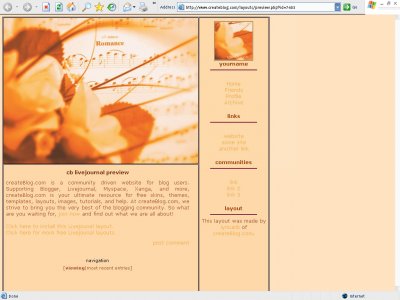
Beautiful layout, but is there a way to get my user icon instead of the flower one?

I love the colors, but the links are crooked on my page and a little confusing.

i love the color though
also, the background color of the layout? will i need to save that background and upload to my photobucket because i noticed it kept asking me to do for a certain picture and i saved the userpic and the banner already.
i'm confused where is the edit info page? and do i need to upload the banner/picture into my photobucket? also, the links, do you mean all the links on my links page?
Shane and Nicky - check to make sure you've added a website URL to your profile. Without this, the header image won't show up.
hoW DO I GET THE HEADER TO WORK>>

this is really really pretty. and the header isnt working either

^what do you mean?like...in email? i don't know of any other attachments......^what do you mean?like...in email? i don't know of any other attachments......
how do i add attachments
Layout Details
| Designer |
souperstition

|
| Submitted on | Dec 10, 2005 |
| Page views | 134,160 |
| Favorites | 75 |
| Comments | 16 |