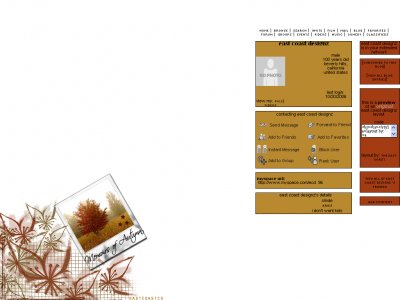
Designer's Comments
Look carefully for specific instructions
TO GET THIS LAYOUT
1.]COPY THE CODE BELOW
2.]GO INTO EDIT PROFILE
3.]PASTE IT IN YOUR ABOUT ME SECTION
� MIKE ecc.xlayoutsx.com
1.]COPY THE CODE BELOW
2.]GO INTO EDIT PROFILE
3.]PASTE IT IN YOUR ABOUT ME SECTION
� MIKE ecc.xlayoutsx.com
Using This Layout
For specific instructions read designer's comments
- 1. Log into myspace.com
- 2. Click on Edit Profile (Profile 1.0)
- 3. Copy (ctrl c) and paste (ctrl v) code to the specified fields
Layout Comments
Showing latest 10 of 19 comments

This is pretty amazing. :]
By Decode on Jun 5, 2008 4:15 pm

thank you
By IVIike on Feb 14, 2008 7:44 pm

I LOVE this layout, but is there any way to only display two comments?
Thanks!
By BackToSketches on Dec 1, 2007 7:40 am
I LOVE this layout, but is there any way to only display one comment?
Thanks!
By BackToSketches on Nov 30, 2007 4:51 am
The DIV is up :]
By IVIike on Sep 28, 2007 1:26 am
thanks... i think i'm going to make a DIV for this one
By IVIike on Sep 3, 2007 8:41 pm
Very nice and classic
By dragonfly1 on Aug 28, 2007 10:08 pm
i used different brushes on adobe photoshop 9.0
By IVIike on Nov 11, 2006 2:25 pm
really awesome layout you have here (:i have an question though, do you mind tellin' me how you made those leaves?
By xxjenniifer on Nov 5, 2006 7:30 pm
thanks everyone :]
By IVIike on Oct 30, 2006 9:33 pm
Layout Details

Layout Colors


