Designer's Comments
Look carefully for specific instructions
- IMPORTANT!!! -
If copy-pasting this layout doesn't work for your blog, try downloading the zip file and uploading it as XML.
To get your calendar icon working you have to change the date format:
1. Go to Dashboard | Settings | Formatting
2. Locate the Date Header Format and set it to YYYY-MM-DD (2009-25-06)
3. Save settings.
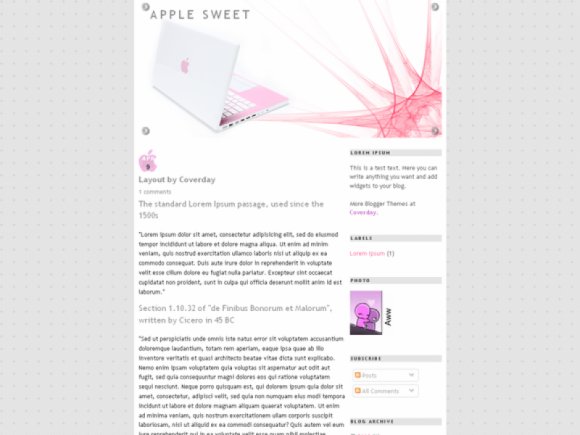
P.S. If CreateBlog preview does NOT look the same as on the photo, try uploading it to YOUR blog to check how it really would appear, or see this Screenshot taken Live.

P.P.S. Extra Images for this layout are published on Coverday.
Using This Layout
For specific instructions read designer's comments
- 1. Log into blogger.com
- 2. Click on Layout
- 3. Click on Edit HTML
- 4. Copy (ctrl c) and paste (ctrl v) code to Template
Layout Comments
Showing latest 10 of 17 comments

This looks very comfortable..

@paupownie
Hey, try tweaking your Blogger settings. Post time settings might be off when you upload the template, so you should check if you can turn them back on.

Is there a way to include the time a post was published? I'm using this layout and the only thing that appears is a "Posted by -user-" but I need the time of publication to show up right after that.

after changing the date header format, I still see this red error message for each post: ORANGEVOLT CALENDAR : PARSING DATE '2009/05/28 ' USING PATTERN '/(\D\D\D\D)-(\D\D)-(\ D\D)/' FAILED.
Other than that, it is working for me. How do I get rid of that weird message?
@kiikiii
Yeah, apparently some layouts work better when uploaded instead of being copy-pasted.
ah I got it working now when I uploaded the file :)
Great layout thank you very much!
very nice layout but when trying on it gives me this:
Your template could not be parsed as it is not well-formed. Please make sure that all XML elements are closed properly.
XML error message: The reference to entity "feedurl" must end with the ';' delimiter.
@CrimsonBloodTears
Also, this layout has some external javascript and css files. Read instructions carefully before using the layout.
Doesn't work in classic or widget mode. I keep getting an XML error.
@deeemrls
Dear deeemrls, there is No problem with the code. I assume you're doing something wrong, because the layout works just fine on Blogger.
Make sure you're not in the Classic, but Widgets mode and either copy-paste the code into Edit HTML or upload the XML template if you downloaded it from Coverday.
Layout Details
| Designer |
LyssaAlex

|
| Submitted on | Jun 26, 2009 |
| Page views | 44,326 |
| Favorites | 43 |
| Comments | 17 |
| Reviewer |
A1Bassline
|
| Approved on | Jun 26, 2009 |
Layout Colors


